
Best Sailing Apps 2026: Navionics vs Savvy Navvy vs PredictWind vs Windy (What Actually Works at Sea)
Coastal cruising in 2026 is a funny mix of high tech and very old physics. Your tablet can show your position within ~3–10 m most days, yet it can also overheat, go dim, or die right when you’re threading a buoyed channel with cross-current and a ferry on the move. The “best sailing apps” aren’t the ones with the prettiest screenshots; they’re the ones that stay usable offline, make you faster at good decisions, and don’t encourage you to stop looking out the window.
What follows is the real-world comparison I give friends before a season: Navionics and Savvy Navvy for charting and pilotage, PredictWind and Windy for weather. Then we’ll talk about mounting, power (ABYC E-11), heat management, AIS/NMEA integration, and the backups that keep you out of the incident report.

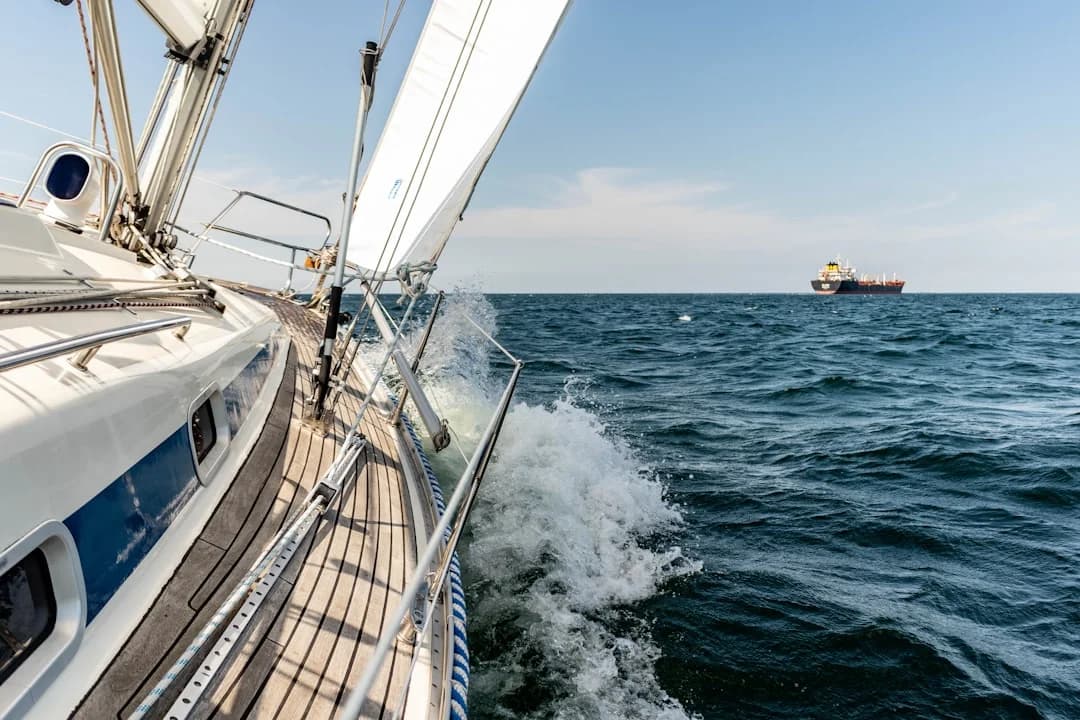
Photo by April Vasquez on Unsplash
How to Choose the Best Sailing Apps for Coastal Cruising (2026 Criteria + Safety)
What “best sailing apps” means onboard (charting vs weather vs routing)
On a coastal boat, apps fall into three jobs: charting/pilotage, weather, and routing/ETA planning. Charting is the tight-focus work—buoys, rocks, depth contours, no-go areas—done at a cockpit viewing distance of roughly 0.6–1.0 m. Weather is the big-picture pattern recognition and “do we go tomorrow or not” decision-making, usually inside a 48–72 hour higher-confidence window.
Routing sits between them and can be helpful, but it’s also where people get seduced by a magenta line. A route is only as good as your assumed boat speed, your motor-sailing rules, and your willingness to detour for sea state. For most coastal cruising, I want an app that measures distance and bearing cleanly, gives time-to-go with a realistic speed, and keeps me from wasting brainpower doing math in chop.
2026 chart reality: ENC-first data and what you should verify
The chart world changed in a way many cruisers still haven’t internalized: NOAA raster nautical charts were discontinued in 2025, and NOAA now prioritizes ENC (Electronic Navigational Charts) as the primary product for U.S. waters. That matters because apps may market “charts” without being clear about source, update cadence, or what happens when a buoy gets moved after a storm.
Even ENC-derived layers aren’t magic truth. Verify datum, confirm recent changes via local Notice to Mariners or local authority updates, and assume aids to navigation can be off-station. I also sanity-check with what my eyes and depth sounder tell me; apps don’t know there’s a new sand tongue extending from that spit. Plan a minimum under-keel clearance (UKC) like 10–20% of draft plus wave allowance, and remember the app doesn’t feel the short-period chop that can drop your stern into trouble.
Safety and standards: COLREGs duties and app limitations
Consumer apps can be excellent, but they don’t change your legal duties. COLREGs Rule 5 requires a proper lookout “by sight and hearing,” and Rule 7 requires using “all available means” to determine risk of collision. Your tablet is not “all available means” if it’s your only means, and it definitely isn’t a lookout.
If you’re operating under SOLAS carriage requirements, consumer apps generally aren’t accepted as primary navigation. For most recreational boats, apps are a supplemental aid—useful, sometimes brilliant, but still supplemental to prudent seamanship. Worth noting: most charting apps include a dedicated MOB button that marks your GPS position instantly—a feature worth locating before you need it, as outlined in our man overboard procedure guide. A practical standard onboard is redundancy: two independent ways to know position and hazards, and at least one way that doesn’t require an internet connection.
Practical tip (captain’s version): Pick your “best navigation app for sailing” by asking one question: Can I use it safely when the cockpit is wet, bright, loud, and busy? If the answer is “only when everything is calm,” it’s not a navigation tool—it’s entertainment.
Navionics for Coastal Charting: Offline Charts, Sonar Layers, and Caveats
Chart coverage, ENC-derived layers, and update expectations
Navionics remains charting-first, and that’s why it’s common on cruising boats with or without a chartplotter. Pan/zoom is fast, the interface feels plotter-like, and the coverage is broad enough that you’re rarely stuck without a chart layer when you move regions. Typical subscription cost runs about $15–$75/year, depending on area and package.
Treat “updated charts” as “updated database,” not guaranteed real-time reality. With NOAA going ENC-first after 2025, you should expect responsible apps to lean on ENC-derived data in the U.S., but you still need to verify what layer you’re looking at and what date it was compiled. Buoys move, shoals migrate, and “it was on the app” is not a defense worth practicing.
Offline marine charts: downloads, storage, and redundancy habits
For coastal cruising, offline charts are non-negotiable. Download your operating area before leaving reliable connectivity, and budget several GB per region depending on how wide you roam and how many layers you store. I keep Navionics on two devices—typically a tablet at the helm and a phone below—because the failure mode for tablets is often heat or power, not software.
Redundancy isn’t about paranoia; it’s about the day you’re entering a tight harbor after 6 hours in the sun and your primary screen decides it’s had enough. If you run a Wi‑Fi-only tablet, remember position accuracy may depend on model and external feed; don’t assume it behaves like a cellular GNSS device. In practice, a phone’s GNSS often lands in the ~3–10 m range, while a good external receiver can be steadier with better sky view.
Route tools and track management for day-to-day coastal hops
Navionics route and track tools are practical for short coastal legs: create waypoints, read distance/bearing, and keep a track you can review later. For planning, I still like to cross-check route distance with a tool that lets you calculate the distance between ports when I’m comparing “direct” versus “safe water” options between headlands. It’s quick, and it helps keep ETA math honest when you change the plan to avoid a lumpy cape.
One caution: route tools don’t know your keel, your sea state, or the fact your crew gets miserable if you slam into 1.5 m head seas for three hours. Use the app to draw options, then decide like a skipper. If depth is a concern, apply that UKC rule of thumb—≥10–20% of draft + wave allowance—and remember the app does not replace a functioning depth sounder.
Savvy Navvy for Route Planning: Tides, ETA, and “One-Screen” Simplicity
Planning workflow: route, hazards, and time-based constraints
Savvy Navvy’s strength is that it treats passage planning as the main event. Instead of making you tap through layers and menus, it pushes you toward building a route quickly, checking hazards, and getting an ETA you can actually use. Cost typically lands around $50–$150/year, depending on tier and region.
For coastal hops, the “one-screen” approach reduces heads-down time at the helm, which matters at a viewing distance of 0.6–1.0 m with spray on your glasses. I’m a fan of anything that makes it easier to keep your eyes outside and your hands on the boat. The best safety feature in any app is the one that prevents you from staring at it.
Tide gates and current-aware ETAs for coastal cruising
If you cruise where timing matters—bar entrances, narrow passes, inlets with a standing wave—Savvy Navvy’s tide and current handling is genuinely useful. The shortest line isn’t always the safest line, and the fastest route is often the one that arrives at slack, not the one that shaves 0.8 nm off distance. I’ve watched plenty of crews “save time” by arriving early, then spend 90 minutes bucking foul current and burning fuel.
When you build a plan, use realistic speed assumptions. If you normally motor at 5.5 kn in flat water but only make 4.5 kn into chop, your ETA and tide gate timing will be wrong in the only conditions where timing matters. It also helps to check the nautical miles for your planned route across two route options and then run ETAs at conservative speeds so you don’t plan yourself into a bad arrival.
When Savvy Navvy replaces spreadsheets (and when it shouldn’t)
Savvy Navvy can replace a lot of the tired “spreadsheet seamanship” that leads to errors: distances, ETAs, quick alternates, and timing against tides. It’s also a decent way to brief crew because it communicates a plan without requiring them to interpret your personal shorthand. When cockpit workload is high—traffic, fog patches, or a tired crew—simple beats clever.
But don’t outsource judgment. Tide/current databases can be wrong in small places, and routing algorithms don’t see the local overfalls you’ve learned to respect. Keep pilotage notes, local knowledge, and a willingness to change the plan when reality disagrees with the screen. For example, if you're sailing the Aegean from Turkey to Greece, no app will warn you about meltemi acceleration zones between islands — that's pilotage, not software. And if motoring is part of the leg, keep your fuel discipline: plan with a 20% reserve, because “we’ll probably sail more than expected” is a classic lie told at the dock.
PredictWind for Serious Weather + Routing: Models, Polars, and Departure Windows
GRIB model depth and interpreting spread (not single-run certainty)
PredictWind is the tool I reach for when weather is the primary risk driver, not just a comfort factor. Its value is less about one model looking authoritative and more about letting you compare models and see where they disagree. Coastal planning often looks 3–5 days out, but the decisions that deserve confidence usually live inside 48–72 hours, and model spread beyond that should make you humble.
GRIBs are forecasts, not facts. The trick is reading the spread: if two models differ by 10–15 kn on wind strength or swing direction by 30–40° at the same time, that’s not “fine detail.” That’s a route and sea state problem. In shoulder seasons, that spread is often the difference between a pleasant reach and a miserable, gear-breaking bash.
Routing algorithms, polars, and constraint-based planning
Routing is powerful when you feed it honest inputs. If you give PredictWind optimistic polars and forget you reef early, it will happily route you into conditions you won’t actually carry sail in. Good routing inputs include max wind limits, sea-state constraints, and motor-sailing assumptions, because your real boat isn’t a brochure and your crew isn’t a paid race team.
I also like using routing as a “what if” machine, not an autopilot for decisions. Change departure time by 6–12 hours and watch how the track and conditions shift, especially around fronts. Then choose a plan that keeps options open and avoids narrow timing traps. Remember, COLREGs Rule 6 safe speed is still on you; routing doesn’t grant permission to charge into a traffic lane at night because the app promised a better VMG.
When the cost pays off for coastal cruisers
PredictWind isn’t cheap—typically $250–$600/year depending on tier and features—and that’s hard to justify if you only day sail in settled summer weather. Where it earns its keep is when weather drives your go/no-go, like rounding exposed capes, crossing open bays with steep seas, or threading fronts to make a delivery schedule. If you’ve ever waited out a forecast bust in an uncomfortable harbor, you already know what one bad call costs.
For coastal cruising, I treat PredictWind like a decision support tool, not a routing captain. Use it to pick departure windows, identify “no thanks” days, and understand uncertainty. Then I still cross-check distances and ETAs with a simple tool like Breezada’s sea distance calculator, because if the route length is wrong, every fuel and timing decision downstream is wrong too.
Windy for Weather Visualization: Best for Pattern Recognition, Not Navigation
Visual layers that matter for coastal decisions
Windy is excellent at showing the shape of weather, fast. For coastal cruising, that matters because local effects—sea breezes, funnelling, headland acceleration—often matter more than the exact number over your cockpit. Windy’s value is seeing pressure gradients, fronts, and wave direction shifts before you commit to a route that turns ugly near a cape.
Premium pricing usually sits around $20–$60/year, and for many sailors that’s a fair cost for a tool that helps you stop being surprised. I’m especially fond of it for “should we leave after lunch or at first light” decisions, where a 10–12 kn sea breeze can be pleasant on the beam and punishing on the nose. Patterns matter, and Windy makes patterns obvious.
Cross-checking models and spotting coastal effects
Windy shines when you switch models and look for agreement. If you see broad alignment inside 48–72 hours, you can plan with more confidence; if models diverge, act like a cautious adult and build more margin. Coastal cruising is full of short, sharp consequences—bar entrances, lee shores, traffic—and model disagreement should push you toward safer timing.
Use Windy to spot the moment the gradient tightens or the wave direction clocks, then confirm details in your primary weather workflow. It is not an ENC navigation tool and shouldn’t be treated like one. I’ve seen skippers try to use weather overlays as navigation, and it’s like using a kitchen scale to check engine oil: you might get a number, but it’s not the right instrument.
Common misuses and how to avoid them
The big misuse is running Windy’s animations at full brightness in direct sun and assuming your device will stay alive. Many consumer phones and tablets throttle or shut down around 35–45°C device temperature, and Windy’s animated layers can push CPU load while the sun does the rest. If your weather tool kills the device you need for charting, that’s a self-inflicted wound.
Also, don’t treat offline use as Windy’s strength. For actual pilotage, you want offline charts stored on-device and tested before you cast off. Windy is a great planning screen at anchor or below deck, and a decent quick-check underway if your device can handle it. Just don’t bet the entrance on it.
Cockpit Setup That Works: Mounting, Waterproofing, Power, and Overheating
Ergonomics and visibility (ABYC H-1): reduce heads-down time
Reliability afloat is mostly hardware and habits. A perfect app on a poorly mounted tablet is like a perfect anchor on a frayed rode: it will fail when it matters. ABYC H-1 is about helm visibility, and your mounting should respect that—don’t put a big glowing rectangle where it blocks your sightlines to traffic, marks, or waves.
Size matters for legibility. Chartplotters are commonly 7–12 in, while tablets are often 10–13 in, and that extra size helps at a 0.6–1.0 m viewing distance. Mount it so you can operate it one-handed, brace yourself in a seaway, and glance without turning your head away from the bow for long. If you find yourself crouching or leaning to read it, you’ll stop using it when it’s rough.
Power planning (ABYC E-11): wiring, fusing, USB‑C PD
If you run apps seriously, assume continuous charging at high brightness. A tablet can draw about 10–18 W while charging in the cockpit, which over 6 hours is roughly 60–108 Wh from your house bank. That’s not catastrophic on a healthy system, but it’s not free either, especially if you’re also running autopilot, instruments, and a fridge that thinks it’s a freezer.
Install power like a boat, not like a car. ABYC E-11 practices—proper wire gauge, correct fusing close to the source, clean terminations, and managing voltage drop—matter because tablets get flaky on low voltage. Use a quality 12V to USB‑C PD charger in the 30–60 W class, and fuse it correctly for the circuit. Typical costs: $25–$120 for a charger, plus wire, fuse block, and the time to do it cleanly.
Heat, glare, and water intrusion: reliability tactics
Heat is the silent killer of cockpit electronics. Many devices shut down around 35–45°C, which you can hit easily with full sun, a black case, and a charging device. I’ve had the best luck with shade, airflow behind the device, and avoiding dark, heat-soaking mounts. If the day is brutal, lower brightness a notch and rely more on audio/visual lookout than on screen time.
Waterproofing is about realistic wetness, not marketing claims. An IP67-style case in the $60–$200 range is usually worthwhile, and a cockpit mount in the $40–$180 range is cheap compared to losing a tablet overboard. Saltwater gets into connectors, so use short pigtails, keep spare charging cables, and rinse gear with fresh water when you can. I know, it sounds like extra work; so does replacing electronics mid-cruise.
Practical tip (keep-it-alive kit): Carry a spare charging cable, a backup 12V USB‑C PD adapter, and a soft sun cover. Those three items fix more “app problems” than any settings menu ever will.
Integration, AIS, and Backups: NMEA Gateways, COLREGs, and Fail-Safes
AIS architecture to apps: what’s really happening
When an app “shows AIS,” it’s usually just a display receiving data from elsewhere. A common setup is an AIS receiver or Class B transponder sending AIS data to a Wi‑Fi gateway, which then streams it to your tablet. AIS Class B transmit power is commonly 2 W, and that affects range and reliability, especially in cluttered coastal terrain.
Apps can overlay targets and compute CPA/TCPA, but treat that as advisory. AIS targets can be missing, misconfigured, delayed, or simply not transmitting. Fishing boats, small craft, and the occasional mystery ship with wrong MMSI details will remind you that electronics are fallible. COLREGs Rule 5 and Rule 7 don’t care what your tablet says; they care what you did.
NMEA 0183/NMEA 2000 data flows and common failure points
Most app integrations happen via NMEA 0183 sentences over Wi‑Fi (think AIS VDM, GPS RMC/GGA) or via NMEA 2000 PGNs converted by a gateway. If you like standards, IEC 61162 aligns with the NMEA 0183 concept and is the reason these messages look the way they do. Practically, this means one loose connector or one misconfigured gateway can make your app “blind.”
Budget realistically: an NMEA 2000 to Wi‑Fi gateway is typically $180–$450. An AIS Class B transponder runs $700–$1,500, and professional install labor often lands around $120–$200/hr, with 3–10+ hours depending on wiring access and network sanity. If that sounds expensive, remember the cheap alternative is usually “it works until it doesn’t,” which is not a plan.
Backups: paper/official charts, secondary device, and sound signals
Backups aren’t romantic; they’re boring, and boring is good offshore and near shore. Carry a paper chart pack or official equivalents for your area—often $40–$200—and mark bailouts before you leave. Keep a second device with offline charts or PDFs, because heat and water tend to fail things at the same time.
Also remember that situational awareness is not just visual. In restricted visibility, the rules still matter, and your app won’t blow the horn for you. Knowing how to use a VHF radio is equally essential — it’s your primary tool for communicating with other vessels when you can’t see them. A concrete example from USCG Navigation Rules: a power-driven vessel making way gives 1 prolonged blast every 2 minutes in restricted visibility. Your tablet will happily show you a CPA while you forget the sound signal and the other vessel never hears you coming.
Which App to Use in 2026: Recommended “Two-App Stacks” by Cruising Style
Best value stack for typical weekend-to-weeklong coastal cruising
For most sailors, the best sailing apps setup is two apps, not four. Use one ENC-capable navigation app for pilotage, and one weather app for pattern and model comparison. A solid value stack is Navionics + Windy, usually $35–$135/year combined, depending on region and premium tiers.
You get fast offline charting, decent route tools, and a weather picture that keeps you from getting surprised by a front or gradient change. Add a good case ($60–$200) and a real cockpit charger ($25–$120) before you spend money on yet another subscription. If you can’t keep the device alive for a 6-hour leg, your “best navigation app for sailing” is theoretical.
Best accuracy/decision stack for weather-critical coasts and shoulder seasons
If you cruise places where weather is the main hazard—exposed headlands, long open-water reaches, or shoulder-season fronts—Navionics + PredictWind is a hard-working pair. Budget roughly $265–$675/year in subscriptions, and consider that one avoided bad crossing can pay for that. The point isn’t to chase perfect routing; it’s to understand uncertainty and choose departure windows with margin.
In this stack, I plan route options in Navionics, then use a quick tool to estimate your fuel needs based on the voyage distance when comparing alternates and motoring legs. Build fuel range with a 20% reserve, and don’t forget UKC planning: ≥10–20% of draft + wave allowance in shallow or surge-prone entrances. PredictWind helps you decide when and whether, not just how.
Best simplicity stack for new crews and high workload cockpits
If you sail with less experienced crew or you’re often short-handed, simplicity can be safety. Savvy Navvy + Windy is a clean, low-friction combination, typically $70–$210/year. Savvy Navvy gives quick planning, tide-aware ETAs, and an easy briefing screen; Windy provides the big-picture pattern check that keeps you honest.
Here’s a practical workflow for a tide-gated hop: measure two route options (direct vs safer water), confirm distance with Breezada’s sea distance calculator, then plug conservative speeds into your ETA. Check tidal stream direction and strength for your gate, and aim arrivals with slack or favorable current rather than “as early as possible.” Finally, cross-check two weather models inside 48–72 hours, set alternates, and download charts offline before the dock lines come off.
FAQ: Best Sailing Apps (Navionics, Savvy Navvy, PredictWind, Windy) — Real-World Questions
If my iPad has “Wi‑Fi only,” can it provide reliable GNSS position underway, or do I need an external GPS (and what NMEA 0183 sentences should I expect from a Wi‑Fi gateway)?
Many Wi‑Fi-only tablets either lack true GNSS hardware or behave inconsistently offshore from known Wi‑Fi positioning. For reliable position underway, assume you may need an external GPS source or a gateway feeding GPS data from onboard instruments. From a Wi‑Fi gateway you’ll commonly see NMEA 0183 sentences like RMC and GGA for GPS, plus VDM for AIS targets.
How should I validate AIS CPA/TCPA shown in an app when targets are Class B (2 W) and reception is via a Wi‑Fi gateway—what latency and data gaps should I plan for?
Plan for missed packets, intermittent reception, and occasional stale data, especially with Class B 2 W targets behind land or in antenna-shadow zones. Validate CPA/TCPA by cross-checking target vectors visually, watching for sudden jumps in SOG/COG, and confirming that your own speed/heading inputs are stable. If anything looks odd, assume the numbers are wrong and revert to Rule 7 thinking: use sight, hearing, and if carried, radar.
With NOAA raster charts discontinued (2025), how do I confirm an app’s U.S. chart layer is ENC-derived, and what update signals should I check before a coastal passage?
Look in the app’s chart information panel for data source notes referencing ENC/NOAA, update dates, and region-specific chart metadata. Before departure, confirm the app indicates a recent update download for your operating area, then compare critical spots (channels, aids, depths) against local notices or official updates when available. If the app can’t tell you what its data is and when it was updated, treat it as a sketch, not a chart.
For tide-gated entrances, what’s a robust method to combine predicted tides/currents with UKC planning (10–20% of draft + wave allowance) using a route-planning app?
Start with the controlling depth at the shallow point, then add predicted tide height for your arrival time. Subtract your draft and keep a UKC margin of 10–20% of draft, then add wave/swell allowance (especially on bar entrances where a 0.5–1.0 m wave set can change everything). Use the app to iterate arrival time by 30–60 minutes steps, and don’t commit until you’ve sanity-checked with local pilotage notes and real-time observations.
What is a realistic electrical budget for tablet navigation: at 10–18 W charging draw over 6 hours (60–108 Wh), what fusing/wire-sizing considerations from ABYC E-11 affect a 12V USB‑C PD install?
Assume 60–108 Wh per 6-hour cockpit day for one tablet at high brightness, then add more if you run a second screen. Under ABYC E-11, fuse the circuit appropriately close to the power source, size wire to manage voltage drop (tablets get temperamental with low input voltage), and use marine-grade terminations and strain relief. If you’re unsure, pay the $120–$200/hr for a competent marine electrician for a couple hours; bad wiring is an expensive hobby.
Bottom line
In 2026, the best sailing apps aren’t a single winner—they’re a two-app stack matched to your cruising and your tolerance for risk. Pair an ENC-capable charting app (Navionics or Savvy Navvy) with a weather/model tool (PredictWind or Windy), keep your decisions inside a 48–72 hour confidence-focused process, and engineer your cockpit setup so the screen stays alive when it’s hot, wet, and busy. Integrate AIS if you want, but treat every overlay as advisory under COLREGs: keep a proper lookout, carry backups, and cross-check the moments that matter.
About the Author
Related Articles
NAVTEX for Sailing: SafetyNET Offshore Weather Guide
Learn NAVTEX & SafetyNET (Inmarsat-C) setup, filters, and what MSI to trust offshore. Get clearer forecasts—read the guide now.
By Breezada Team
Sailboat Hull Speed: Calculate It and Exceed It
Learn sailboat hull speed, the 1.34×√LWL formula, and when boats can exceed it. Get examples and tips—read now and calculate yours.
By Breezada Team

Sailing Right of Way Rules: COLREGs Made Simple
Learn sailing right of way rules with simple COLREGs scenarios—tack, overtaking, crossing, lights, and priority exceptions. Read & use the cheat sheet.
By Breezada Team

How to Read GRIB Files for Sailing and Avoid Errors
Read the guide and start sailing smarter today. Explore key tips, gear, and routes—click to learn more.
By Breezada Team